When and why to use this
The editorial images on the Interzo website were generated with AI. It lets the team illustrate rest, care and daily life in a recovery home without a photo shoot in three cities, and keeps every picture in one consistent style.
This guide documents how those images are made, so new ones belong to the same family. It complements the direction in Photography: the look, the subjects and what to avoid are defined there.
AI images are for editorial and marketing use only: home page sections, cards, article covers, campaigns. They never show a specific property, a real patient, a host or a provider.
Core principle
Every prompt is built from the same fixed blocks around a single variable scene. The style line, the light, the finish and the palette are repeated word for word; only the description of who is in the picture and what they are doing changes.
Must stay fixed: 35 mm film look · candid, editorial framing · warm natural light · subtle film grain · shallow depth of field · warm muted palette of cream, sand and brown · the guardrails against clinical and stock imagery.
Can change: the people (age, appearance, clothing within the palette) · the activity · the room · the format · where the calm area for text sits.
Workflow
- Generate in Figma. Images are created inside Figma with its
generate_imagetool, using Google’s model gemini-3.1-flash-image. - Request the format you need. Ask for the proportion of the slot the image will fill. Square for cards and collages (1000 × 1000 to 1200 × 1200), vertical for portrait cards (900 × 1400, 800 × 1000, 1200 × 1500), landscape for article covers and wide bands (1200 × 900, 2048 × 1152).
- Expect the model to choose the final size. The requested size guides the aspect ratio, but the model decides the output resolution. A 1200 × 1500 request, for example, came back at 928 × 1152. Check that the delivered file is large enough for its slot.
- Budget the credits. Each generation uses Figma AI credits, including the ones you discard. The current website library took 79 generations from 57 distinct prompts.
- Review against the checklist below before the image goes anywhere near the site.
- Record the prompt. Keep the exact prompt, the requested size and the date next to the approved file, so the image can be regenerated or extended later.
Prompt structure
An Interzo prompt has six blocks, always in the same order. This is one of the real prompts, split into its blocks:
[1 Style]        Candid editorial lifestyle photograph, 35mm film look.
[2 Scene]        A woman in her mid-30s resting on a linen sofa beside a large window
                 in a warm, bright apartment, a soft knit blanket over her legs,
                 holding a mug, looking calmly out the window.
[3 Light]        Late-afternoon golden sunlight streaming in, plants, wooden furniture,
                 soft shadows.
[4 Finish]       Natural skin tones, subtle film grain, shallow depth of field,
                 warm muted palette of cream, sand and brown.
[5 Guardrails]   Unposed, documentary feel, not stock-photo.
[6 Composition]  Composition leaves the lower-left area calm for overlaid text.
1. Style line. Opens every prompt and fixes the genre. The base form is “Candid editorial lifestyle photograph, 35mm film look.”, adapted by subject: interior photograph for rooms without people, close-up photograph for hands and details, Editorial wellness close-up photograph for body-related images, portrait photograph for a single person. Add vertical for portrait formats. “35mm film look” appears in 76 of the 79 prompts.
2. Scene. The only block that changes freely. Describe who (approximate age, a detail of appearance, clothing in cream, sand, linen, sage or rust), what they are doing, where (sofa, bed, kitchen, terrace, the details of a modern home with oak, linen and plants) and how they feel (relaxed and content, calm and at ease).
3. Light and setting. Always natural and warm: Late-afternoon golden sunlight, Soft window light, Soft warm morning sunlight. Large windows, plants and wood complete the setting.
4. Finish and palette. The block that holds the series together, repeated almost verbatim: “Warm muted palette of cream, sand and brown, subtle film grain, shallow depth of field.” Add natural skin tones whenever people appear.
5. Guardrails. Short negative instructions that keep the image on brand. See the negative guidance below.
6. Composition note. When text will sit over the image, say where: “Keep the lower third of the frame calm for overlaid text.”
Examples
Four prompts from the website library, shown verbatim with the image they produced.
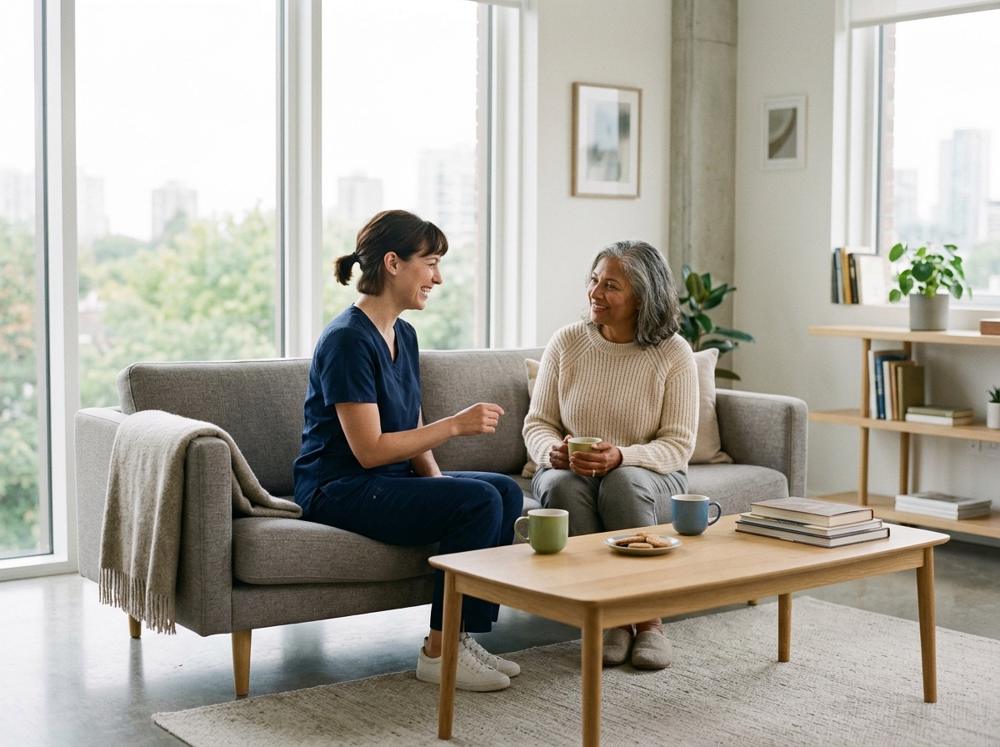
Candid editorial lifestyle photograph, 35mm film look. A friendly home-care nurse in casual navy scrubs sitting and chatting warmly with a recovering woman on a low modern sofa in a bright contemporary apartment, cups of tea on a sleek oak coffee table, large windows, minimalist decor. Soft window light, warm muted tones, subtle film grain, shallow depth of field. Feels like a home, not a hospital. Unposed.
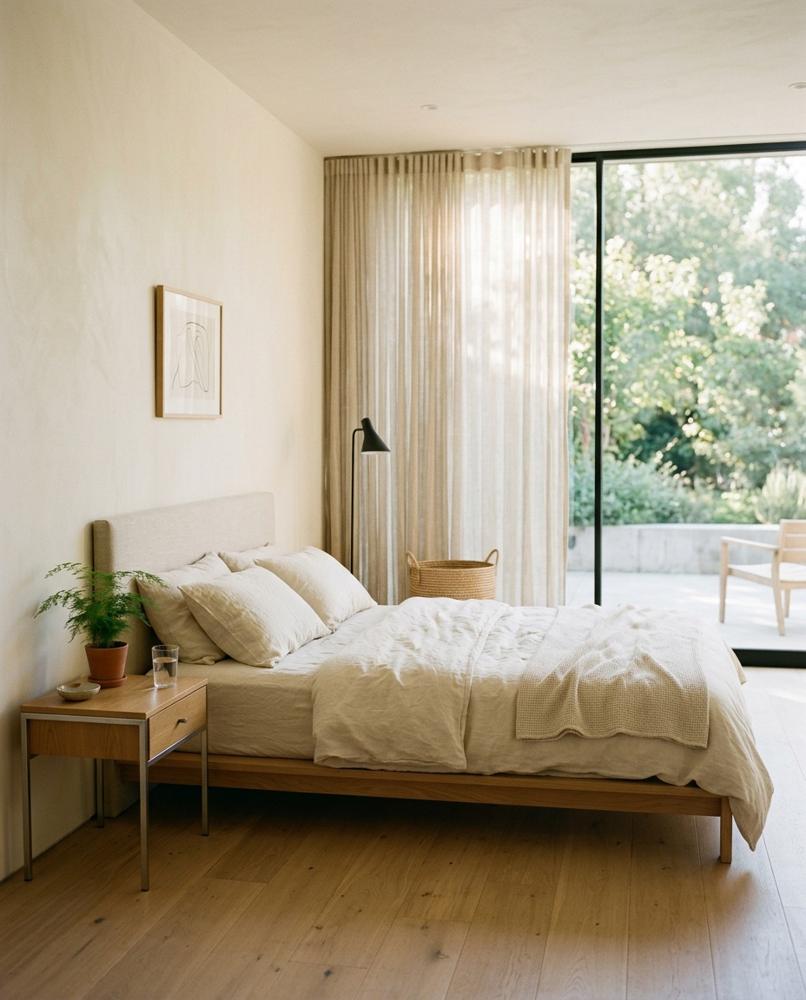
Candid editorial interior photograph, 35mm film look. A serene bedroom in a modern contemporary home: low platform bed with crisp natural linen, floor-to-ceiling glass window with sheer curtains, smooth plaster walls, light oak floor, a minimalist designer bedside table with a glass of water and a small plant, clean lines. Soft warm morning sunlight, subtle film grain, warm muted palette of cream, sand and oak. Architectural, calm, inviting, not a hotel, not clinical, no clutter.
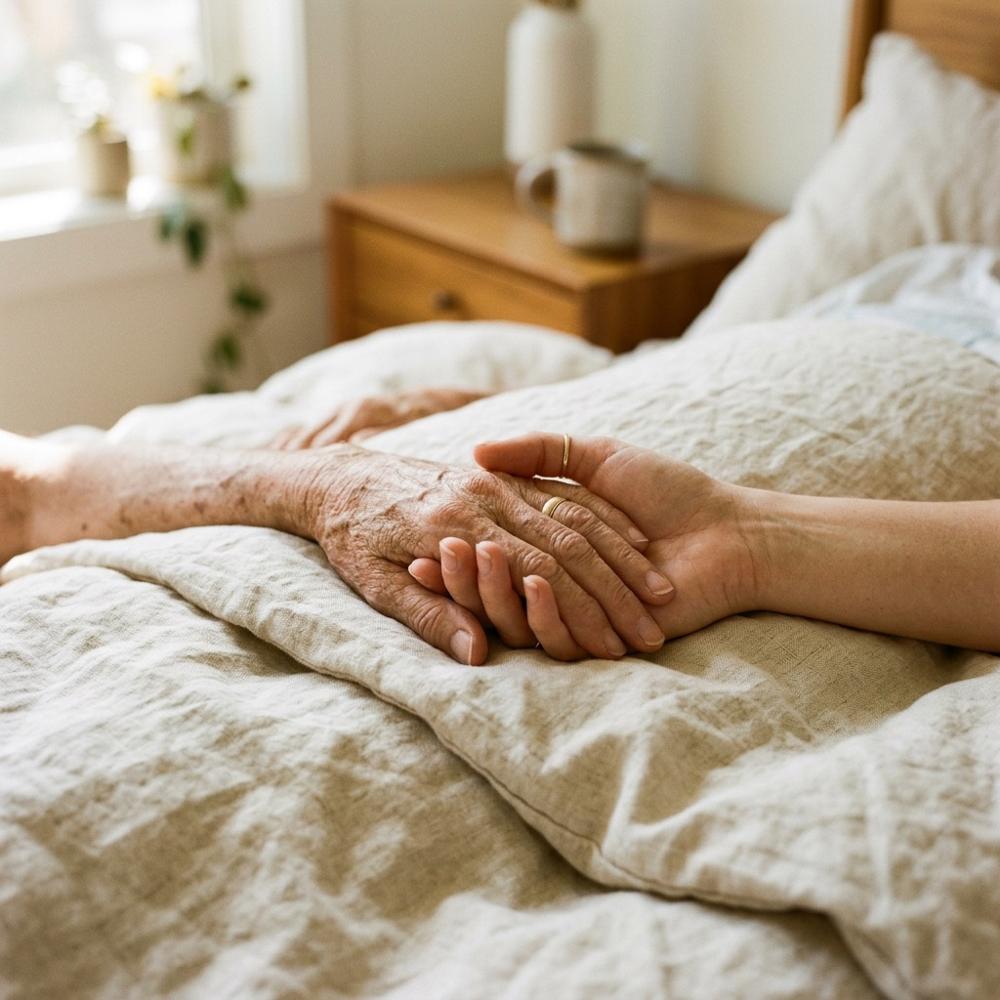
Candid editorial close-up photograph, 35mm film look. Two hands gently holding each other, one older hand and one younger caring hand, resting on crisp natural linen bedding in a modern minimalist bedroom, warm window light, shallow depth of field, subtle film grain, warm cream and sand tones. Tender, natural, not clinical.
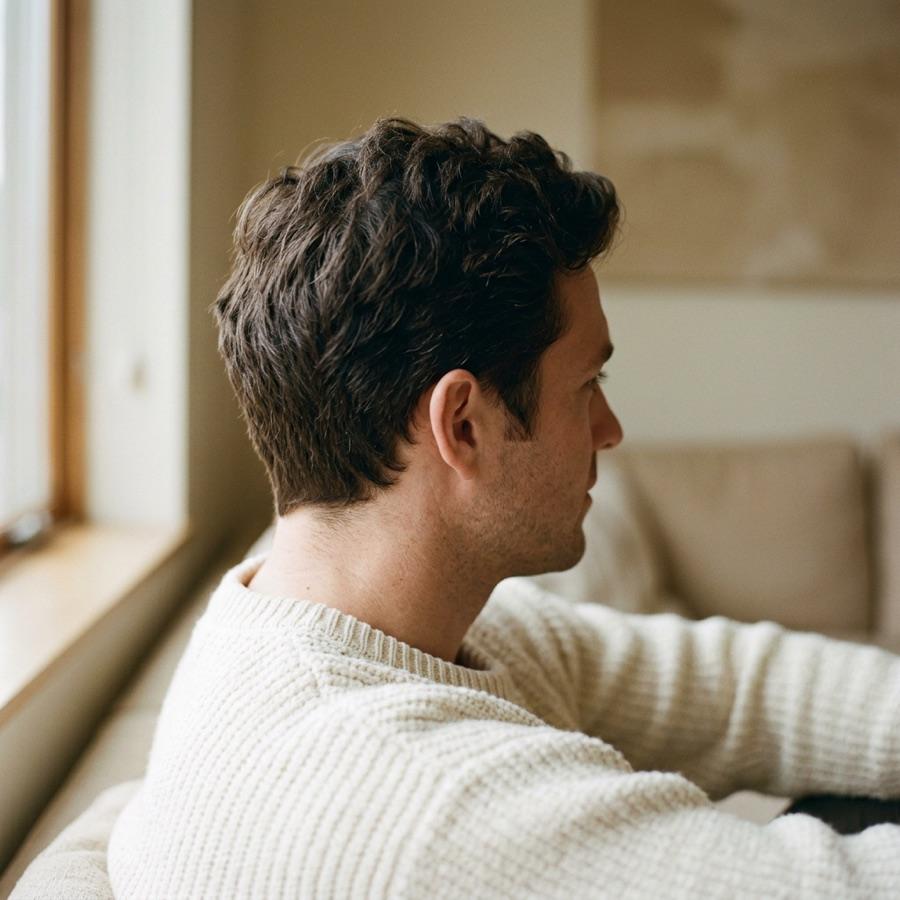
Editorial wellness close-up photograph, 35mm film look. A man in his 30s seen from the side and slightly behind, focus on his thick healthy dark hair and natural hairline, wearing a cream knit sweater, soft window light. Warm muted palette of cream, sand and brown, plain warm background, subtle film grain, shallow depth of field. Calm and natural, no text.
Negative guidance
The guardrails block uses short, plain phrases. These are the ones the library relies on:
- Against stock: Unposed, documentary feel, not stock-photo.
- Against the clinic: Feels like a home, not a hospital, not clinical, no visible bandages.
- Against the hotel: not a hotel, no clutter.
- For body-related images: tasteful and modest, face out of frame.
- For clean files: No text, no logos, and No people for interiors.
Keep them short and positive where possible: describing the calm, warm scene you want works better than a long list of what you do not want.
Consistency rules
- Copy the fixed blocks, do not retype them. Paste the style line and the finish block from an approved prompt so the wording never drifts.
- One light per series. Images that will sit side by side share the same time of day: all morning or all late afternoon.
- Palette in the scene too. Clothing, props and furniture are described in the brand’s tones (cream, sand, oak, linen, sage, rust), so the model does not introduce strong colors.
- Same world. Interiors are bright, modern homes with large windows, light oak and plants. Do not mix in rustic, luxury or clinical settings within one page.
- Regenerate rather than retouch. If the light, palette or mood is off, adjust the prompt and generate again. Do not fix brand problems in post-production.
Review checklist
Before an image is published, check it in this order:
- Brand fit. Warm natural light, cream and sand palette, film grain, calm mood. It sits naturally next to the rest of the library.
- Anatomy. Hands, fingers, eyes, teeth and hairlines look natural. No extra fingers, merged limbs or warped faces.
- Objects and setting. Cups, trays, furniture and windows make physical sense. No garbled text on books, screens or signs; no logos.
- Dignity. Nobody looks unwell, exposed or in pain. Body-related images stay modest.
- Truthfulness. The image does not depict a specific property, a real person, a medical result or a service Interzo does not offer.
- Format. The delivered size is large enough for its slot, and the area for text is clear.
- Record. The prompt, requested size and date are saved with the file.
Ethics and disclosure
- Never for listings. A stay is always shown with real photographs of that property, supplied by its verified host. Patients decide where to recover from these pictures.
- Never as a real person. AI faces are never presented as patients, hosts, providers or team members, and never illustrate a testimonial.
- Never as a medical claim. No before-and-after images, no depictions of procedure results.
- Disclose when required. When a platform, a partner or a regulation asks for AI-generated imagery to be labeled, label it. When in doubt, disclose.
Operational summary
Generate in Figma with gemini-3.1-flash-image. Keep the style line, light, finish and guardrails fixed; change only the scene. Request the slot’s proportion and check the delivered size. Review every image against the checklist, save its prompt, and keep AI out of listings, testimonials and anything that depicts a real person or place.